A field guide to Sales Safari: the worldview behind observing communities for raw customer language, and a step-by-step loop for capturing quotes with the CLRA extension and synthesizing them into problems worth building on.
Most product ideas die because they answer a question nobody was asking. The fix isn't a better brainstorm - it's better listening. Somewhere on the internet right now, your future customers are describing their problems in their own words: venting in a Reddit thread, leaving a one-star review, asking the same question for the fifth time in a Discord, narrating a workaround in a YouTube comment. The work of discovery is to go where that language already lives and capture it before it scrolls away.
This approach has a name: Sales Safari - the practice of observing online communities to surface raw, unsolicited customer language, rather than asking people what they want in a survey. The distinction matters. When you ask, people perform. They tell you what they think they should want, or what they imagine you want to hear. When you observe, you catch them being honest with each other, in the middle of the problem, using the words that actually run through their heads.
The strongest product evidence isn't in a survey - it's in the words customers already use in the wild.
We borrow a distinction from Linus Lee. An instrumental tool gets you from A to B as fast as possible - perfect for booking a ride. An engaged tool keeps you inside a domain long enough to genuinely understand it. Discovery is the second kind of work. If someone handed you "the three biggest problems your users have," would you bet your roadmap on it? Probably not - not because the summary is wrong, but because you didn't earn the conviction.
Reading real language is how you earn it. Conviction is built one quote at a time: this person is furious about this, that person has invented a workaround for that, a third uses a word your marketing has never heard. None of that lives in a tidy dataset waiting to be retrieved. It gets assembled - observation by observation, contradiction by contradiction - inside the head of the person doing the work. The goal of a Sales Safari is to make that assembly fast and trustworthy.
Not every interesting sentence is evidence. As you read, you're filtering for four kinds of signal. CLRA's capture toolbar uses exactly these labels, because they're the building blocks of a real problem:
A single emotional thread is not a problem - it's one data point. The skill is collecting enough signal that a pattern becomes undeniable, then resisting the urge to fall in love before the pattern is real.
The CLRA browser extension exists to remove the friction between "I spotted a great quote" and "it's saved, tagged, and searchable." Here's the end-to-end loop.
Install the extension from the Chrome Web Store and sign in with your CLRA account (a free account is all you need). It links to your workspace, so everything you capture flows into the same place your team is already working.
Decide where your customers actually congregate before you start clicking around. Good hunting grounds:
Pick two or three to start. Depth beats breadth - you want to read enough of one community to recognize its patterns.
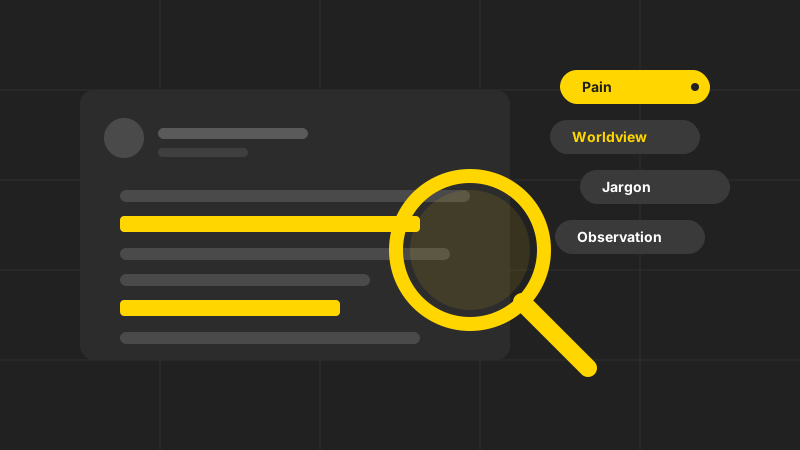
As you read, when a sentence makes you nod, wince, or raise an eyebrow, select it. A floating toolbar appears right next to your selection with four chips: Pain, Worldview, Jargon, Observation. One click categorizes the quote and saves it - no copy-pasting into a doc, no tab-switching, no losing your place in the thread.
A few habits that pay off:
Behind the scenes, the extension creates a research note for each page you capture from and files each quote as a highlight, so your captures stay tied to their source.
Open CLRA and your captures are already there, grouped by the page they came from, each one tagged with the signal type you chose. You now have raw material instead of a pile of browser tabs you're afraid to close. Browse the highlights in the popup as you go, or head to the workspace to start making sense of them.
Capturing is the easy half. The point of a Safari is to turn a scatter of quotes into a problem you'd stake a roadmap on. This is the engaged work CLRA is built for - it helps you synthesize what you've gathered; it doesn't conclude for you.
Lay your highlights out and look for repetition. The same frustration showing up across three different communities, in three people's own words, is worth far more than one viral rant. Group quotes that are really about the same underlying struggle - even when the surface words differ. The jargon you captured helps here: when several people reach for the same phrase, you've found a seam.
A pile of pain isn't yet a problem you can build on. Frame it. We like job stories because they force you to name the situation, the motivation, and the desired outcome:
When I'm researching a niche community for problems, I want to capture the exact words people use without losing my place, so I can turn scattered complaints into a problem I can actually build on.
Notice that every part of that story can be traced back to a real highlight. That traceability is the whole game: a framed problem in CLRA links back to the quotes that justify it, so when a teammate asks "says who?", the answer is these eleven people, in these words.
The most common discovery mistake is falling in love with a problem after a single emotional thread. Guard against it deliberately:
Run this loop for a week across a couple of communities and something shifts. You stop guessing what to build and start recognizing patterns you can defend. Your roadmap stops being a list of features and becomes a list of well-evidenced problems - each one traceable to the exact words of the people who have it.
That's the worldview behind CLRA: product work is less about shipping features and more about the long, slow craft of building empathy and judgment. The extension and the workspace just make the craft faster - and make sure that when you finally commit, you've earned the conviction.
Ready to run your first Safari? Add the extension and create a free workspace.
